Hold Right Command
Start recording from any app without opening a dictation window or changing focus.
Free · private · macOS voice dictation
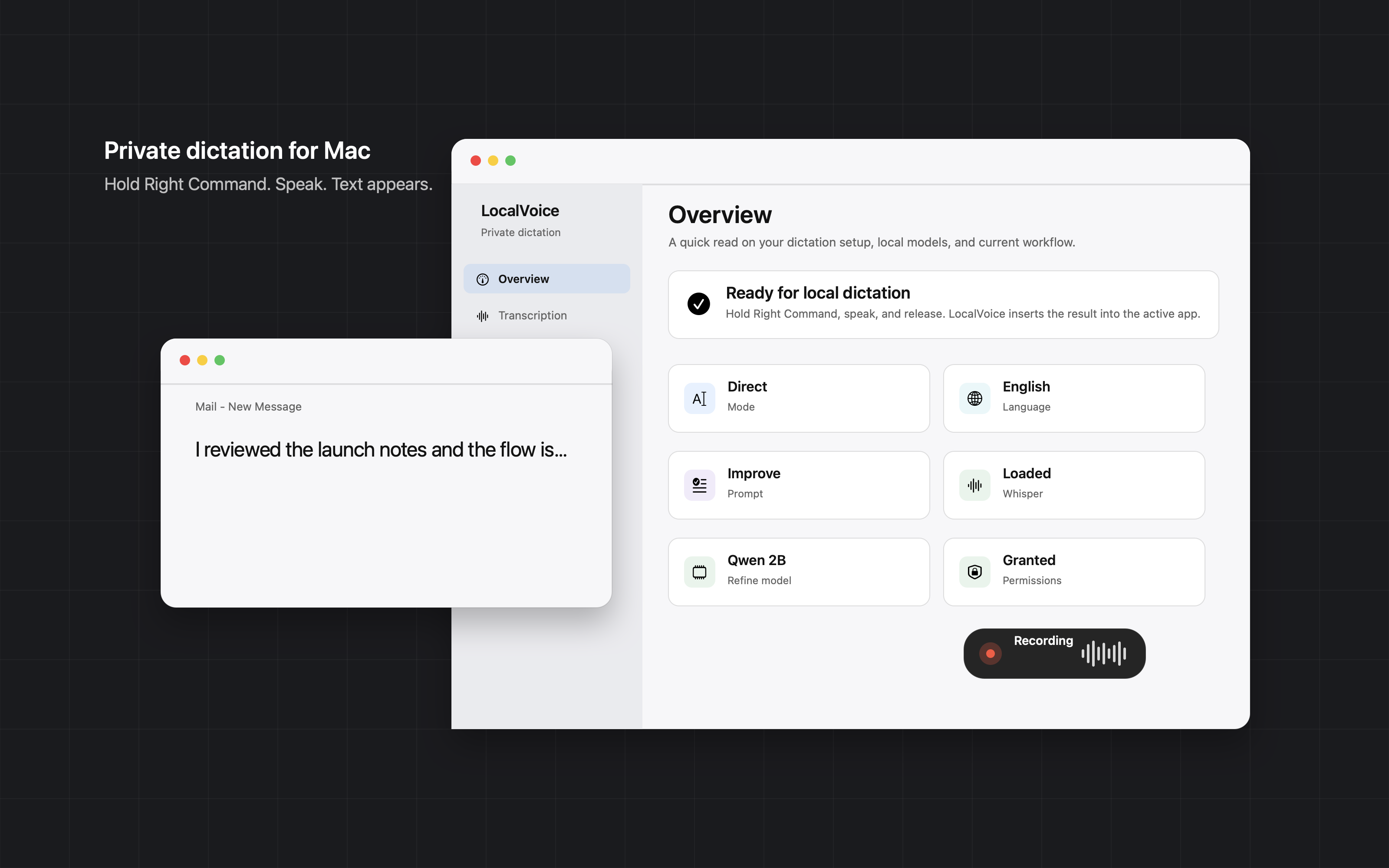
Hold Right Command, speak, release. LocalVoice inserts text wherever your cursor is, so everyday writing moves at voice speed. It is free, open source, and runs entirely on your Mac.
Public beta ZIP. Ad-hoc signed builds require a one-time quarantine command before first launch.
How it works
LocalVoice sits in the menu bar and works wherever text input already works. You keep your current app in focus and use your voice as a faster keyboard.
Start recording from any app without opening a dictation window or changing focus.
WhisperKit transcribes locally. Refine mode can clean up the transcript with a local MLX model and the prompt you choose.
The text appears in the focused field. Use hold mode for quick bursts or latch mode for longer dictation.
Examples
Direct mode inserts what you said. Refine mode rewrites the transcript locally, using app context and your selected prompt when helpful.
"Thanks for the update. I'll review the numbers this afternoon and send the revised plan before the end of the day."
"I found the issue. The recorder is stopping correctly, but the insert path waits for the old accessibility state. I'll patch that now."
"Turn a loose thought into a concise paragraph, keep the language natural, and preserve technical details."
Mode 1
Fast, literal voice-to-text for notes, search boxes, messages, and anywhere you just want your words inserted.
Mode 2
Say the rough version and let a local MLX model rewrite it into cleaner email, comments, summaries, or custom prompt styles.
Product
Settings, history, prompts, local models, and permissions are visible in native macOS windows instead of hidden behind a web account.
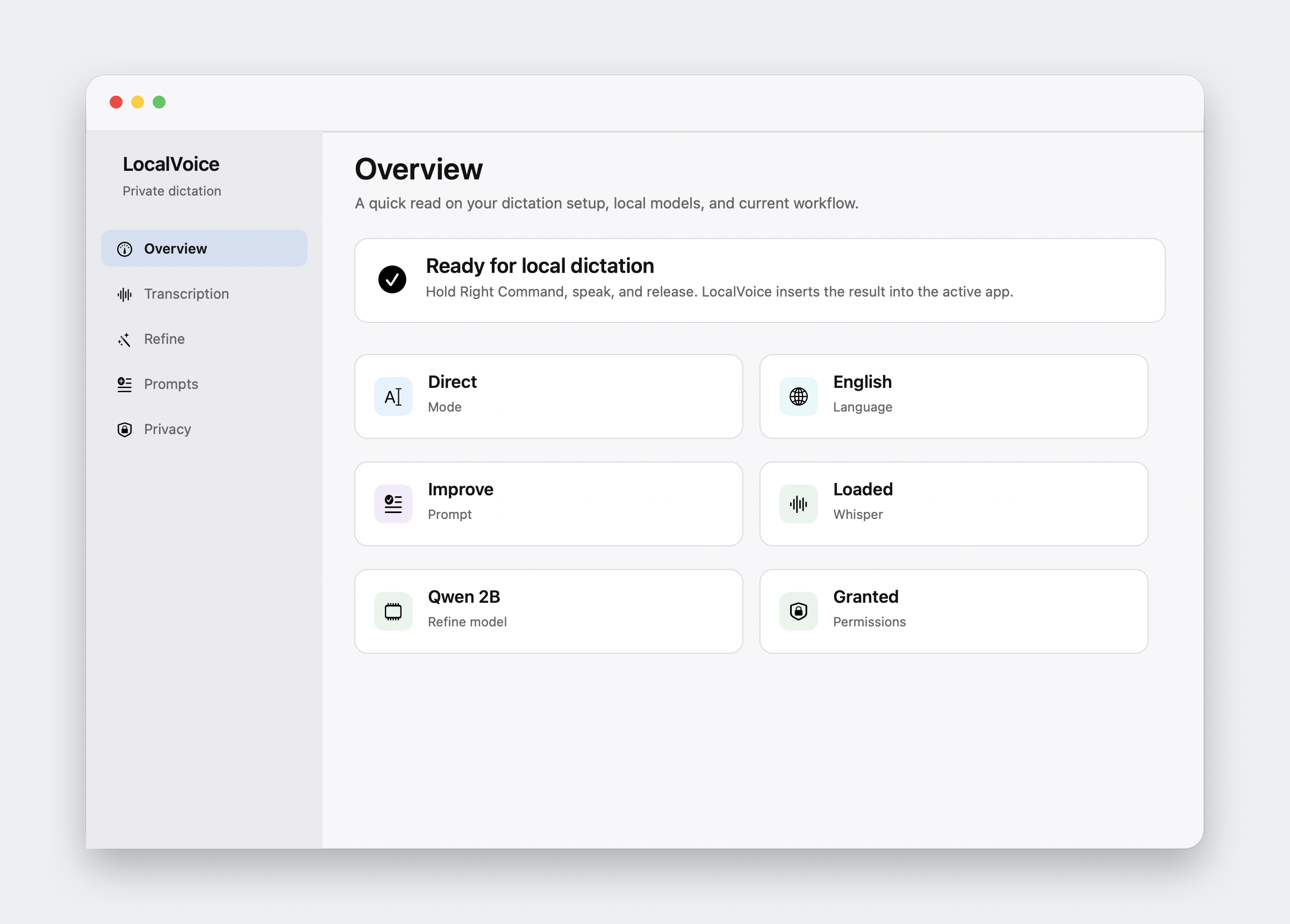
Settings
Choose Direct or Refine mode, manage Whisper and MLX models, check permissions, pick the language, and control browser context from one place.
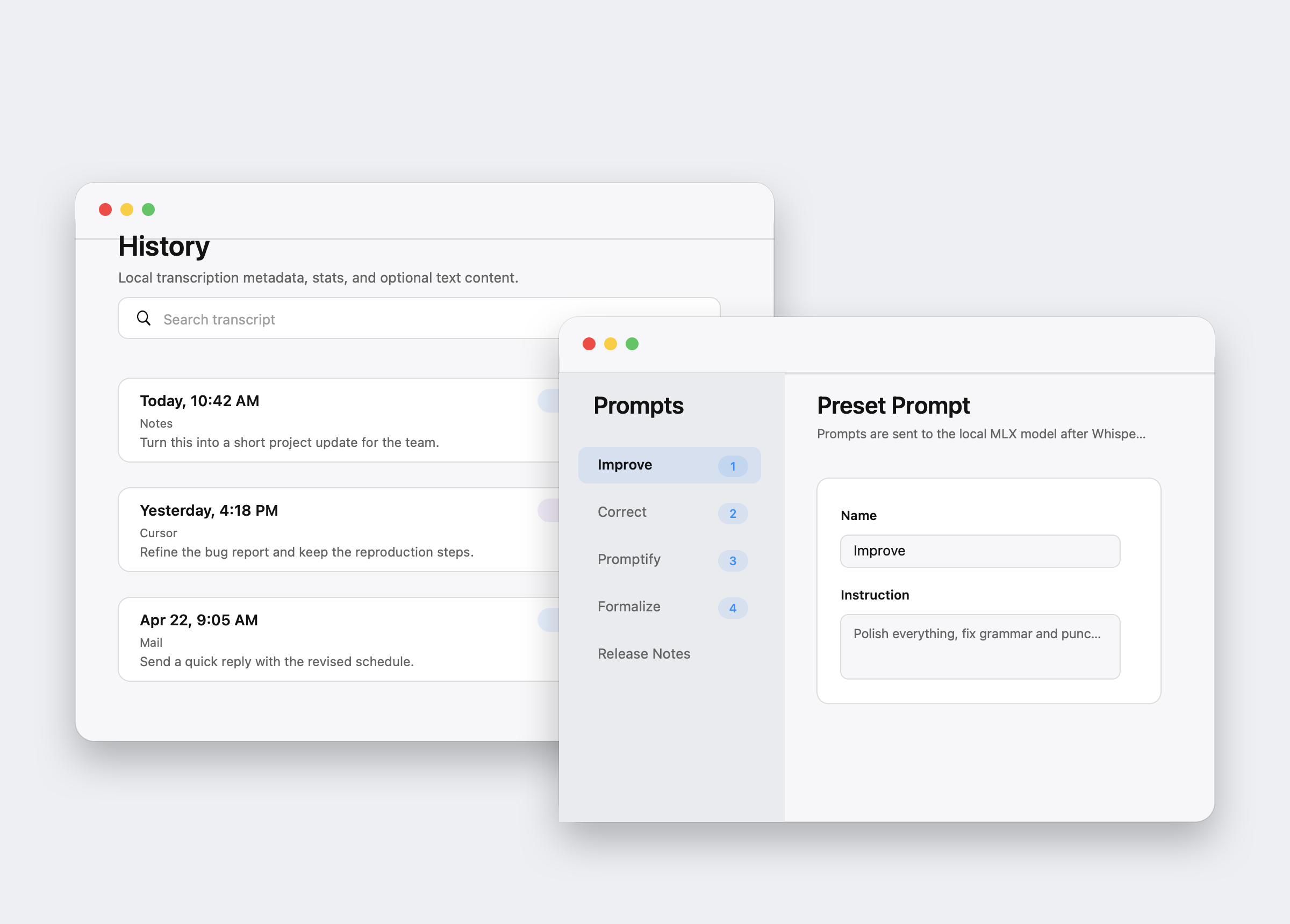
History and prompts
Optional local history helps you inspect past dictations and export CSV when you need it. Custom prompts let Refine mode match your writing style, and number shortcuts make them fast during recording.
Privacy model
Audio, transcripts, prompts, local history, app context, and text refinement stay on your Mac. LocalVoice is open source, so the privacy model is inspectable too.
Details
Hold Right Command for push-to-talk, or double-tap to latch and tap again to stop.
Press 1-9 while recording to temporarily select a rewrite prompt for that dictation.
Choose a fixed language for short clips, or use Auto when you want local detection.
Use active browser title and sanitized URL to improve Refine, or turn it off in Settings.
LocalVoice inserts text with Accessibility first and falls back to Unicode keyboard events when needed.
Install today
LocalVoice is currently distributed through GitHub Releases as a public beta ZIP with an ad-hoc signed app. A Developer ID notarized DMG is coming soon; until then, the one-time quarantine command below is required.
Download LocalVoice.zip, unzip it, and move LocalVoice.app into /Applications.
Because the current build is ad-hoc signed, run this once before opening the app:
xattr -dr com.apple.quarantine /Applications/LocalVoice.app
Enable Microphone, Accessibility, and Input Monitoring in System Settings, then hold Right Command to dictate.
Requirements